Default Gitlab CI
When creating a new project with npm init @archibald a basic Gitlab CI will be added by default to the new project. The Gitlab CI includes following jobs:
- setup
- lint
- test
- release
- deploy
The deploy job is not complete and requires manual interaction. The trigger property is commented out and has to be adjusted.
#  trigger:
#    project: '<TARGET PROJECT>'
#    branch: master
The target project is the repository that will deploy the application to some system. This repository usually is set up by the DevOps department. The target project follows the convention <ORGANIZATION NAME>/<GROUP NAME>/<PROJECT NAME>, e.g. netconomy/daim/daim-k8s-env
The Gitlab CI pipeline is triggered when
- a merge request is created
- there is a merge event to the
developbranch - pipeline is triggered manually
Merge request
When a new merge request is created a new Gitlab CI pipeline will be triggered. This pipeline runs following jobs:
- setup
- lint
- test
Merge event to the develop branch
When a merge event to the develop branch happens (e.g. merging a merge request) a new Gitlab CI pipeline will be triggered. This pipeline runs following jobs:
- setup
- release
- deploy
This way the newest changes are immediately deployed to the test system without manual interaction.
Manual triggering
Usually in a project there are multiple environments that you would like to deploy to. Additionally, you have to deal with other branches like e.g. release branches. Therefore, the Gitlab CI pipeline can be triggered manually with possibility to provide some variables. These variables are:
- CREATE_NEW_TAG
- Default value:
false - Description: Specify if a new tag should be created (false/true).
- Note: Will be ignored for the
developbranch.
- Default value:
- TAG
- Default value: empty
- Description: Tag to be used for deployment. Defaults to CI_PIPELINE_ID predefine variable.
- ENVIRONMENT
- Default value: empty
- Description: Environment that the deployment should be triggered for.
- This variable is mandatory.
- Note: Is NOT mandatory for the
developbranch.
The Gitlab CI pipeline can be triggered manually:
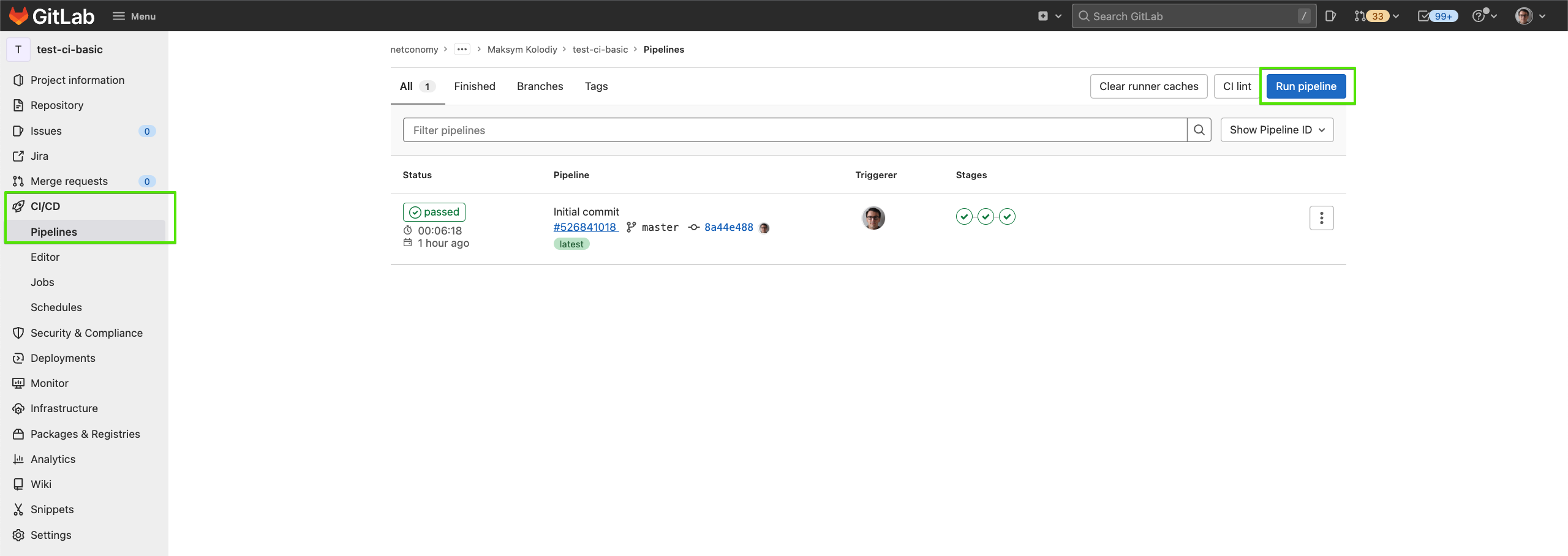
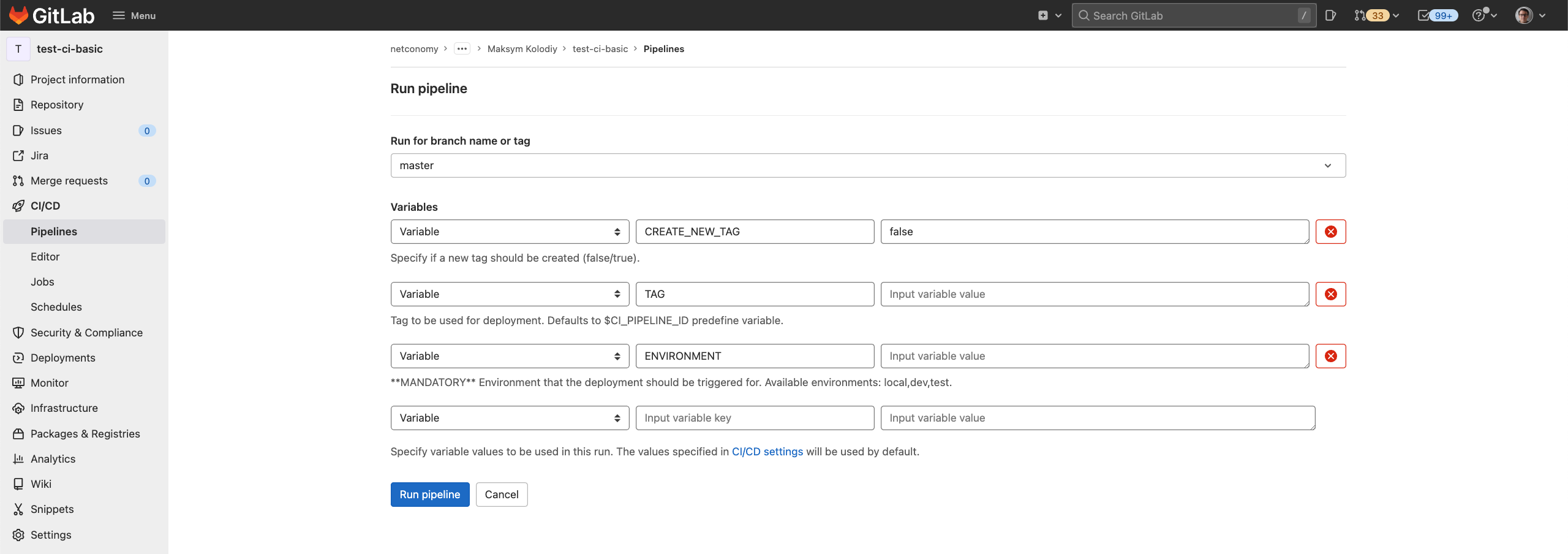
Following combinations are possible:
Combination 1
- CREATE_NEW_TAG:
true - TAG: empty
- ENVIRONMENT:
test-env
Will run following jobs:
- setup
- release
- deploy
TAG variable will be set to CI_PIPELINE_ID predefine variable.
Combination 2
- CREATE_NEW_TAG:
false - TAG:
test-tag - ENVIRONMENT:
test-env
Will run following jobs:
- setup
- deploy
Combination 3
- CREATE_NEW_TAG:
true - TAG:
test-tag - ENVIRONMENT:
test-env
Will run following jobs:
- setup
- release
- deploy